
Have you ever found yourself with a cherished, yet low-resolution image that you wished you could enlarge without losing quality? Enter AI image upscaling, a revolutionary technique that uses the power of artificial intelligence to breathe new life into your photos. This guide will walk you through everything you need to know about ai upscale image, from the underlying technology to choosing the right tool for your needs. Whether you're a professional photographer or simply looking to enhance your personal photos, understanding AI upscaling can unlock a world of possibilities.
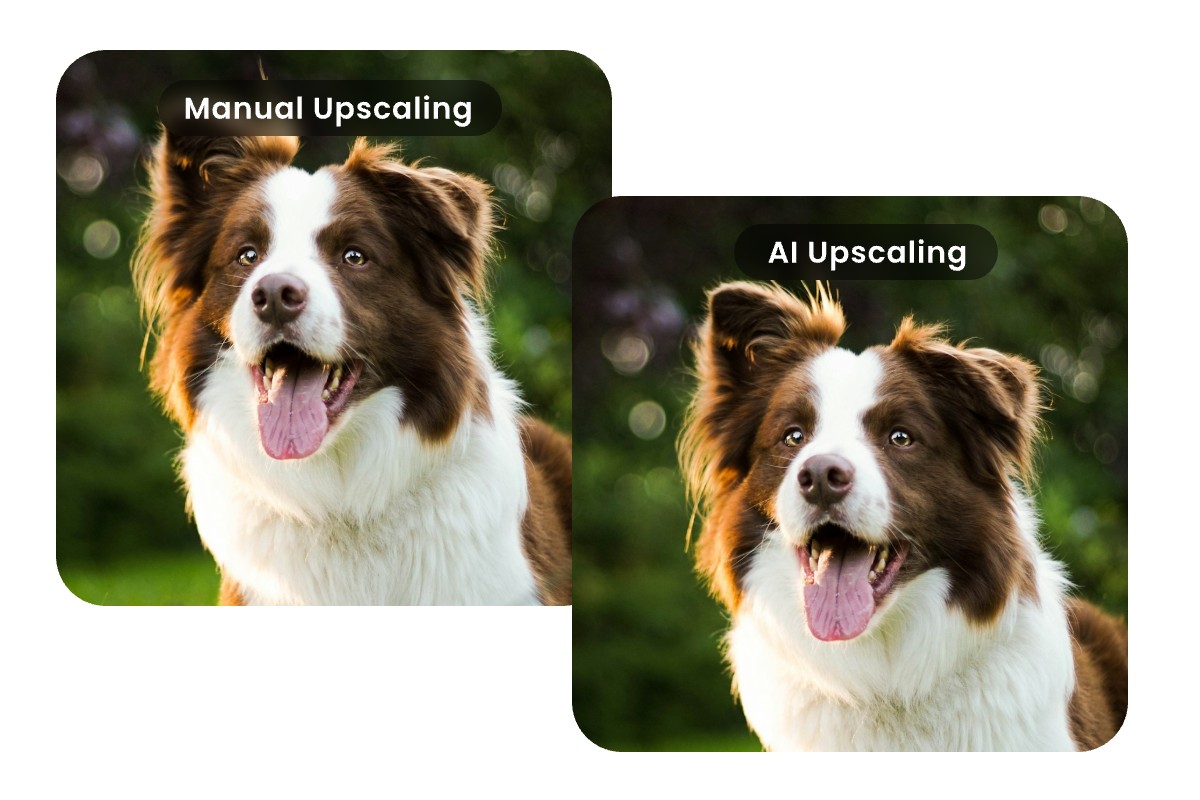
Ai Upscale Image: A Comprehensive Guide
Let's dive deep into the world of AI upscaling, exploring its benefits, applications, and how it all works.
Understanding Ai Upscaling
AI upscaling is the process of increasing the resolution of an image using artificial intelligence. Unlike traditional upscaling methods that simply stretch pixels, AI upscaling algorithms analyze the image and intelligently fill in missing details, resulting in a sharper, more detailed final product.
Benefits of Ai Image Upscaling
The advantages of using AI for image upscaling are numerous:
- Improved Image Quality: AI algorithms can add details that were never originally present in the low-resolution image.
- Reduced Artifacts: Traditional upscaling often introduces unwanted artifacts like blurring or pixelation, which AI upscaling minimizes.
- Enhanced Details: AI can sharpen edges and textures, making the upscaled image look more realistic.
- Time Savings: AI upscaling can automate the process, saving you the time and effort of manual editing.
Common Applications of Ai Upscaling
AI image upscaling has a wide range of applications across various industries:
- Photography: Restoring old photos or enhancing low-resolution images for printing.
- Gaming: Improving the visual quality of older games or creating high-resolution textures.
- Film and Television: Upscaling archival footage for modern displays.
- Medical Imaging: Enhancing medical scans for better diagnosis.
- E-commerce: Creating high-quality product images for online stores.
How Ai Image Upscaling Works
Now, let's delve into the inner workings of AI upscaling and understand the technology that makes it possible.
The Technology Behind Ai Upscaling
AI upscaling relies on deep learning, a subset of artificial intelligence that uses neural networks to learn from vast amounts of data. These neural networks are trained on datasets of high-resolution images, allowing them to recognize patterns and textures. When presented with a low-resolution image, the AI algorithm analyzes the image and uses its learned knowledge to predict the missing details, effectively reconstructing a higher-resolution version.
The process typically involves these steps:
This entire process is automated and can be completed in a matter of seconds, making AI upscaling a powerful tool for anyone looking to enhance their images.
Different Ai Upscaling Algorithms
Several AI upscaling algorithms exist, each with its own strengths and weaknesses. Here are some of the most common:
- Super-Resolution Convolutional Neural Network (SRCNN): One of the earliest and most basic AI upscaling algorithms.
- Enhanced Deep Super-Resolution Network (EDSR): An improved version of SRCNN that produces sharper and more detailed images.
- Real-ESRGAN: Designed to restore real-world images with complex degradations and noise.
- GFPGAN: Excels at restoring faces in images, making it ideal for portrait photography.
The best algorithm depends on the image type and purpose—Real-ESRGAN works well for old photos, while GFPGAN excels at portraits. Their performance largely depends on the quality and diversity of training data; models trained on specific image types perform best on similar content but may struggle with others.
Factors Affecting Upscaling Quality
Several factors can influence the quality of AI upscaling:
- Original Image Quality: The better the original image, the better the upscaled result. AI can't create details out of nothing.
- Upscaling Factor: Upscaling by a large factor (e.g., 4x or 8x) can introduce artifacts if the algorithm isn't sophisticated enough.
- Algorithm Choice: Different algorithms are better suited for different types of images.
- Software Settings: Many AI upscaling tools offer adjustable settings that can affect the final result.
To achieve the best results, it's essential to start with the highest quality original image possible and to experiment with different algorithms and settings. Keep in mind that even the best AI upscaling algorithm can't magically transform a blurry, low-resolution image into a masterpiece. The technology works best when it has some detail to work with.
Choosing the Right Ai Upscaling Tool
With so many AI upscaling tools available, choosing the right one can be a challenge. Here are some factors to consider and some top recommendations.


Top Ai Image Upscaling Software
Here are some of the leading AI image upscaling software options available:
- Topaz Photo AI: Known for its powerful AI algorithms and user-friendly interface.
- Gigapixel AI: Another popular choice from Topaz Labs, offering excellent upscaling capabilities.
- Remini: A mobile app that uses AI to enhance and restore photos.
- Let's Enhance: An online platform that offers a range of AI-powered image enhancement tools.
- VanceAI: Provides various AI image processing tools, including upscaling and denoising.
When choosing software, consider factors such as ease of use, features, pricing, and compatibility with your operating system. Some software offers free trials, so you can test them out before committing to a purchase. Also, read reviews and compare features to get a sense of which software best suits your needs.
Online Ai Upscaling Platforms
In addition to software, several online platforms offer AI image upscaling services. These platforms are often more convenient for occasional use, as they don't require you to download and install any software.
Some popular online AI upscaling platforms include:
- Let's Enhance
- Icons8 Upscaler
- Upscale.media
- Deep Image
- Neural.love
Online platforms typically offer a free tier with limited usage, as well as paid subscriptions for more advanced features and higher usage limits. Before using an online platform, be sure to review its privacy policy to understand how your images will be processed and stored.
Evaluating Upscaling Performance
When evaluating the performance of an AI upscaling tool, there are several factors to consider:
- Sharpness: How well does the tool preserve or enhance the sharpness of the image?
- Detail: Does the tool add realistic details to the upscaled image?
- Artifacts: Does the tool introduce any unwanted artifacts, such as blurring or pixelation?
- Speed: How quickly does the tool upscale the image?
- Ease of Use: How easy is the tool to use and navigate?
The best way to evaluate performance is to test the tool with your own images and compare the results. Pay close attention to the details and look for any signs of artifacts or unnatural-looking enhancements.
Consider these questions when evaluating image upscaling performance:
- Does the upscaled image look natural, or does it appear artificial or over-processed?
- Are the edges sharp and well-defined, or are they blurry or pixelated?
- Does the upscaled image contain any unwanted noise or artifacts?
- Does the upscaled image retain the original colors and tones of the original image?
By carefully evaluating these factors, you can choose the AI upscaling tool that delivers the best results for your specific needs. AI image upscaling is a game-changer for anyone looking to enhance image quality. Whether you're restoring old family photos or preparing images for professional use, understanding the technology and choosing the right tool can make a world of difference. With the knowledge you've gained from this guide, you're well-equipped to unlock the full potential of AI upscaling and bring your images to life.
AI image upscaling is rapidly evolving, with new tools and algorithms emerging constantly. Stay curious, test different options, and choose the one that best fits your needs. Understanding how each tool works helps you achieve natural, high-quality results and unlock your photos’ full potential.
Use AI photo enhancers responsibly—avoid misrepresenting reality or creating misleading images. Ethical, transparent use ensures that AI remains a tool for creativity and authentic enhancement.


Messenger